
CREATED IN TAHITI BY ATELYS
Hono QR.
Your QR.
Your colours.
Your free QR, in a few simple steps.
Paste your link, choose a ready-to-use style and add your logo if you wish. Download your QR. You can turn it into a poster afterwards.
Free · No account · Generated on your device
Hono’s interface is currently in French. This guide explains the steps in English.
Create my free QRCopy your address, then paste it into Hono: the link is not prefilled.
Explore the three examples ↓
Three simple uses.
EXAMPLE 01 / 03
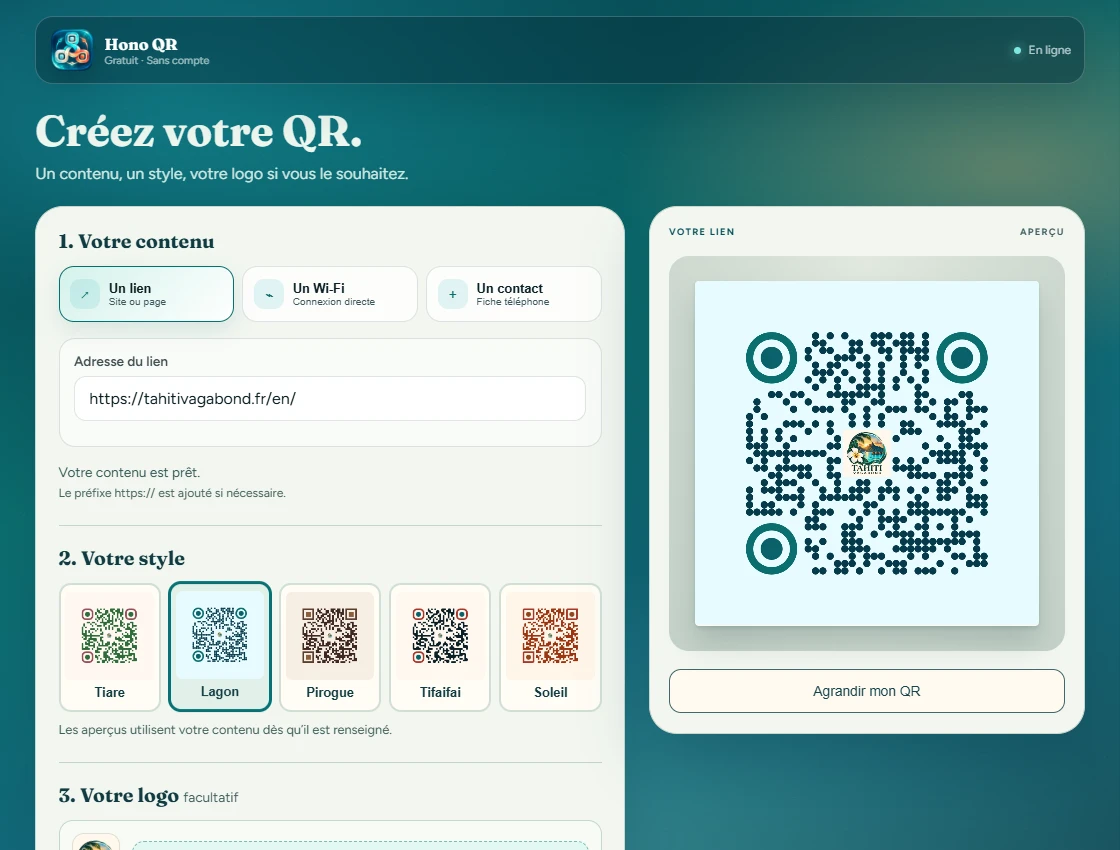
Your page, just a scan away.
Copy the address of your Tahiti Vagabond listing, website or online menu. Paste it into “Un lien” (link), then place the QR on your counter or business card.
EXAMPLE 02 / 03
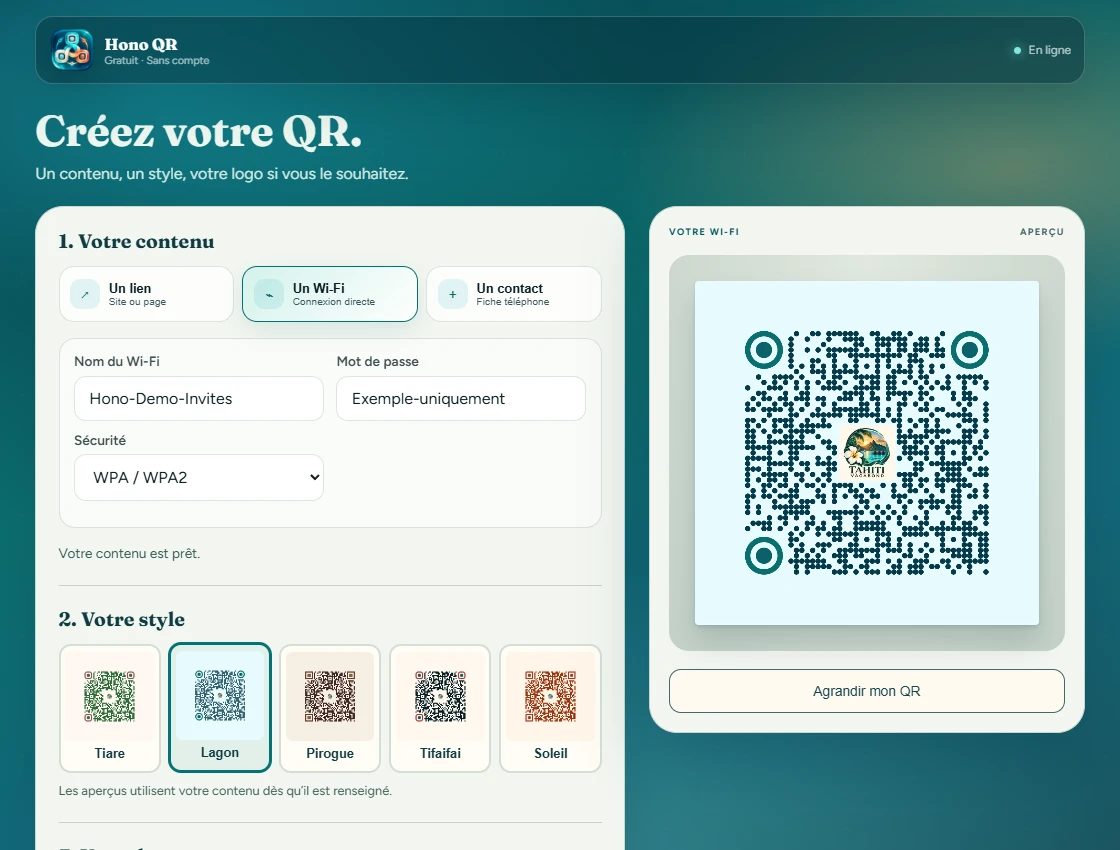
Wi-Fi, without typing it all out.
In “Un Wi-Fi”, enter the exact network name, security type and password. Prefer a guest network: anyone with the QR can read the encoded password.
EXAMPLE 03 / 03
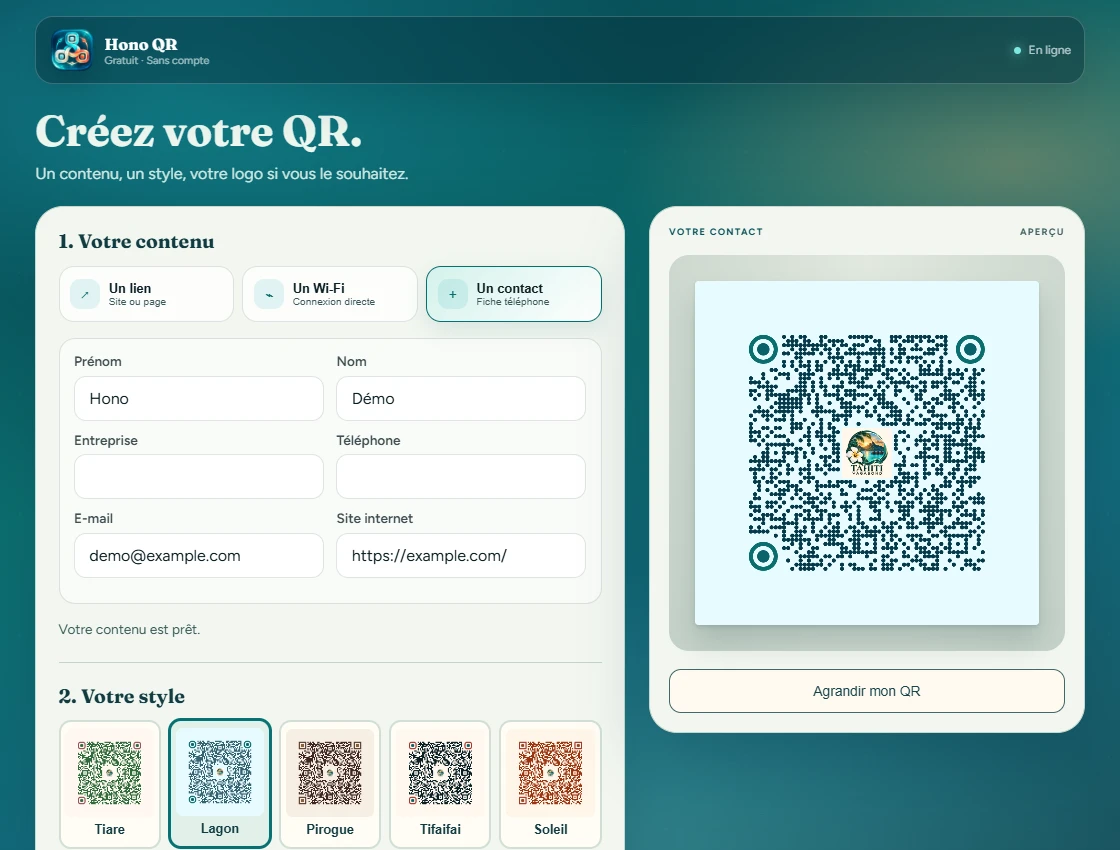
A contact to keep.
In “Un contact”, choose the details to share. A phone can offer to save the vCard: name, business, phone, email and website.
YOUR TURN
Four steps to your QR.
- Choose your content. A link, Wi-Fi or a contact.
- Choose a style. Five complete styles with previews based on your content. QR margins and error correction are handled automatically.
- Add your logo, if you wish. Import your official file. An optional action lets you use its colours.
- Download your QR. The entered content and QR readability are checked before the PNG download. Test the file with a phone after customisation and before printing.
ONLY IF YOU WANT TO GO FURTHER
A poster, or a few adjustments.
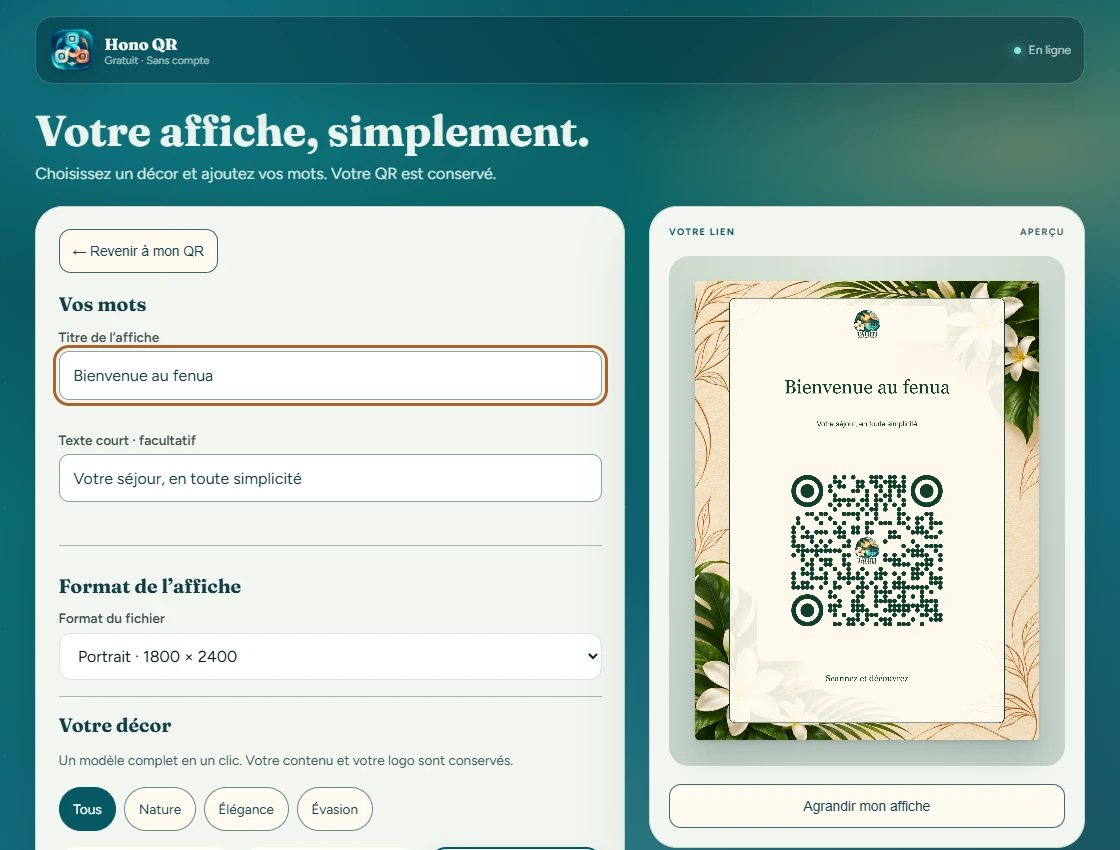
Make a poster
Choose “Créer une affiche avec ce QR” (make a poster), then one of nine backgrounds, a format and your words. Your QR content and logo are preserved.
Adjust my creation
Independent sizes, detailed colours, shapes and ornaments are grouped in a secondary view. Undo and Redo let you experiment. No detailed adjustment is needed to create your first QR.
Before you share.
When details change
A downloaded QR cannot be updated remotely. A new URL, changed contact details or password require a new QR. You can update a linked webpage without reprinting if its URL stays the same.
Generated locally
Your inputs and logo are processed in your browser without being sent to Atelys. Hono does not create websites or bookings; QR reading depends on the phone and the printed or digital material.
Resume a draft
Explicitly save a draft on your device, then resume or delete it. The Wi-Fi password is not saved and must be entered again after restoring. Hono warns before leaving unsaved changes.
Keep Hono on your phone
Choose “Installer l’application” in a compatible browser. On iPhone/iPad: Safari → Share → Add to Home Screen. The generator is designed to work offline after loading and caching; opening an encoded website needs a connection.
QR codes to explore the islands.
Four uses illustrated with actual exports from the new atelier. These QR codes open public Tahiti Vagabond pages: display examples with no implied partnership with the businesses.


